 数樂管理人のブログ
こんにちは。TikZを使って三角形をかこう。今回は3辺がわかる三角形の作図。忘備録として置いておきます。ソースコードは独自勉強で習得したため, 美しくないかもしれないので非公開。誰か手本教えてください。
昔のやり方
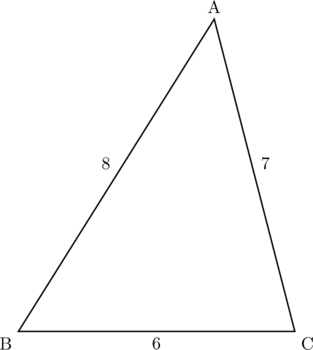
勉強して身に付けた新しい方法
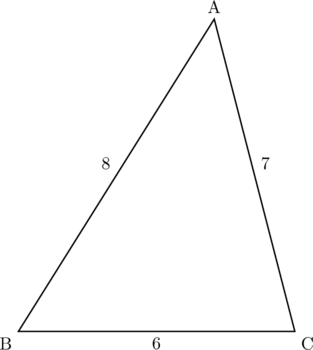
以下が上の新しい方法のソースコード
TikZ
\usepackage{tikz}
\usetikzlibrary{intersections,calc}

\begin{tikzpicture}[scale=1]
\coordinate (B) at (0,0) node [below left] at (B) {B};
\coordinate (C) at (6,0) node [below right] at (C) {C};
\path [name path=c1] ($(B)$) circle (8);
\path [name path=c2] ($(C)$) circle (7);
\path [name intersections={of=c1 and c2, by={[label=above:A]A,[label=]R}}];
\coordinate (U) at ($(B)!.5!(A)$) node at (U) [above left] {8};
\coordinate (V) at ($(B)!.5!(C)$) node at (V) [below] {6};
\coordinate (W) at ($(C)!.5!(A)$) node at (W) [above right] {7};
\draw [thick] (A)--(B)--(C)--cycle;
\end{tikzpicture}